Prepare a study in an afternoon
Write a short brief and AI drafts the plan: task groups, scenarios and questions. You review and edit every line before a participant sees it. The System Usability Scale is one click away.
AI-powered usability testing for product development
Describe what you want to learn and AI drafts the study: tasks, scenarios and questions for you to edit. Then run moderated sessions with your team and read the results as each session comes in.
Already testing with TestFlow? Sign in
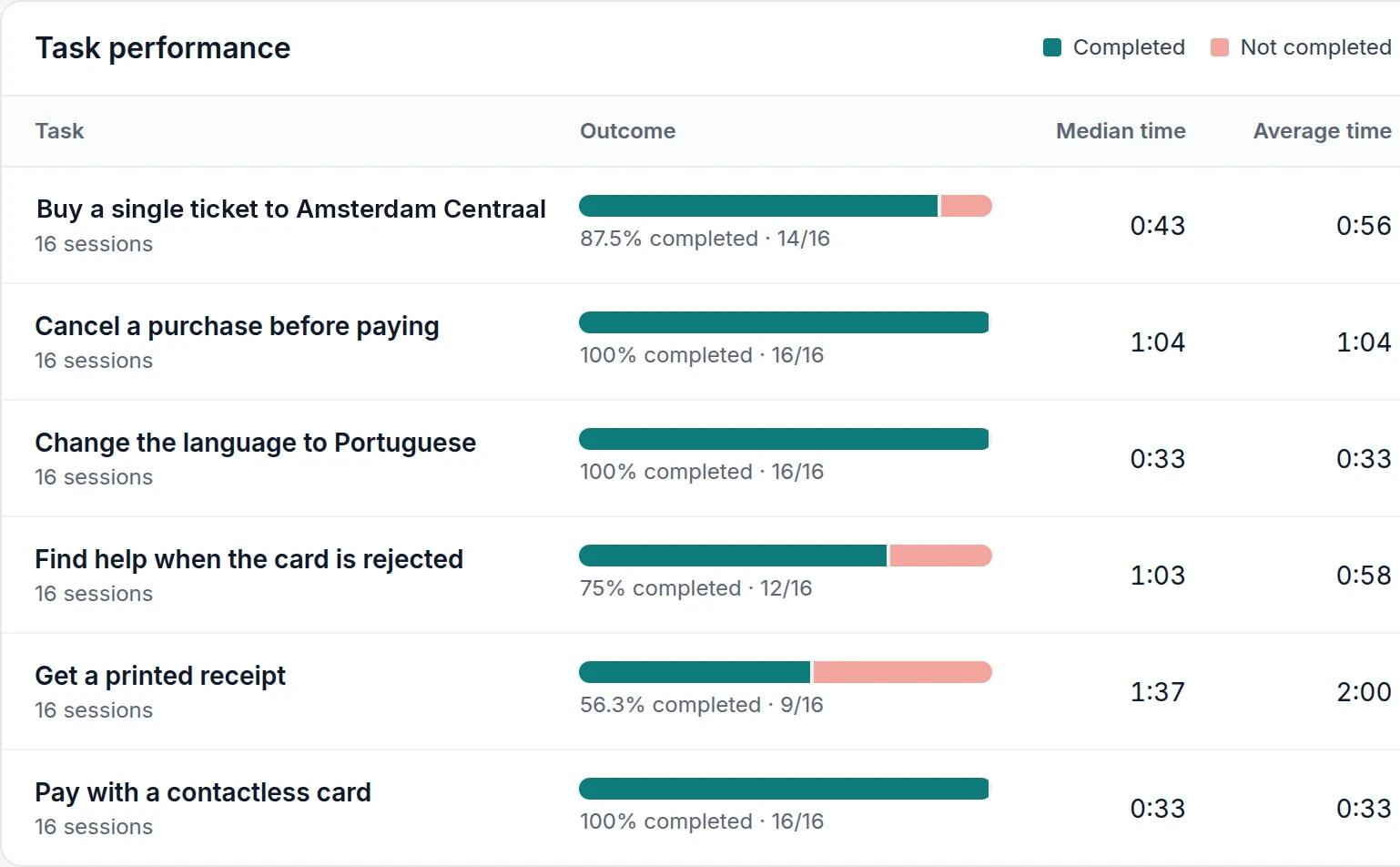
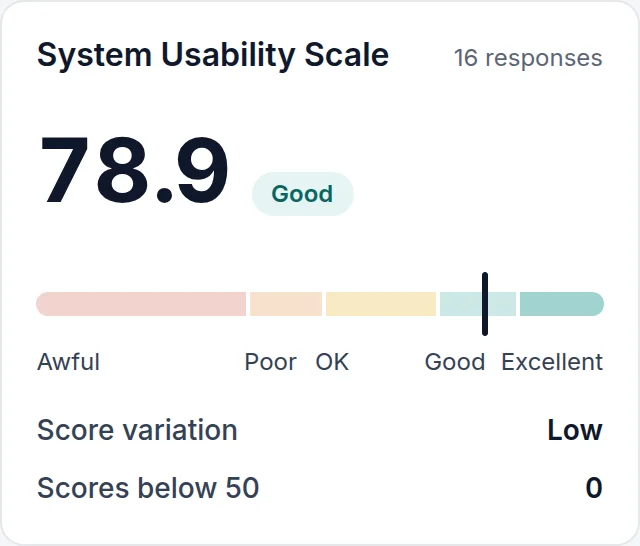
Results as you goTask success, time on task and SUS update after every session — no spreadsheet in between.
Usability testing for product development
The question
“Can commuters buy and top up transport tickets at the new self-service kiosk without help?”
The team wrote this down before building anything else. TestFlow keeps it at the top of the study plan, next to the goals, the audience and the schedule.
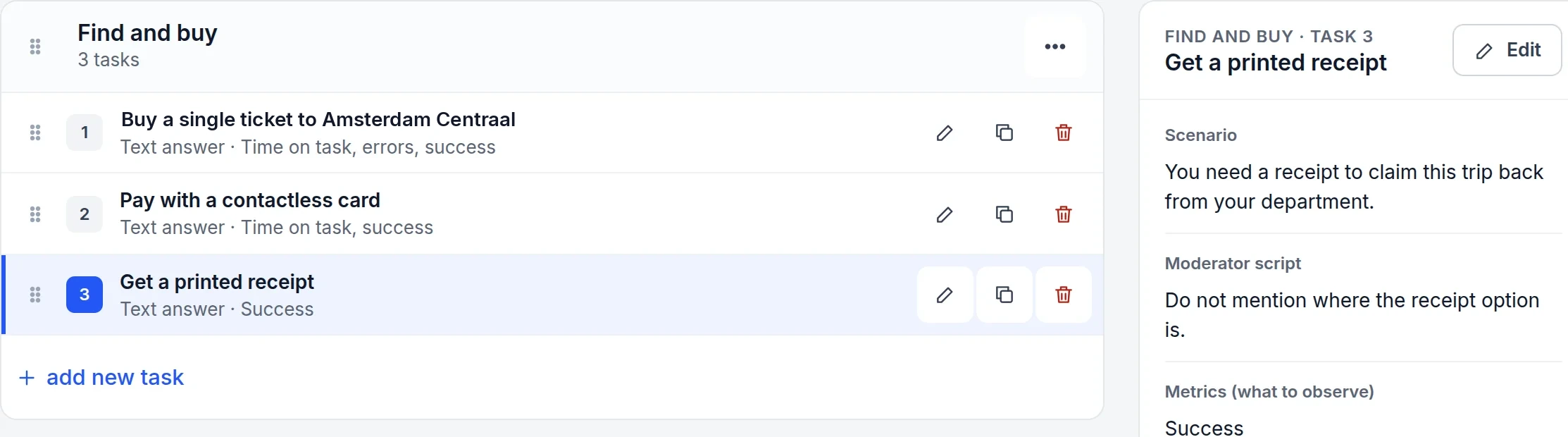
A task, prepared in TestFlow
1Scenario — read aloud, word for word, to every participant.
2Moderator script — here: don’t say where the receipt option is.
3What to observe — success, time on task, errors.
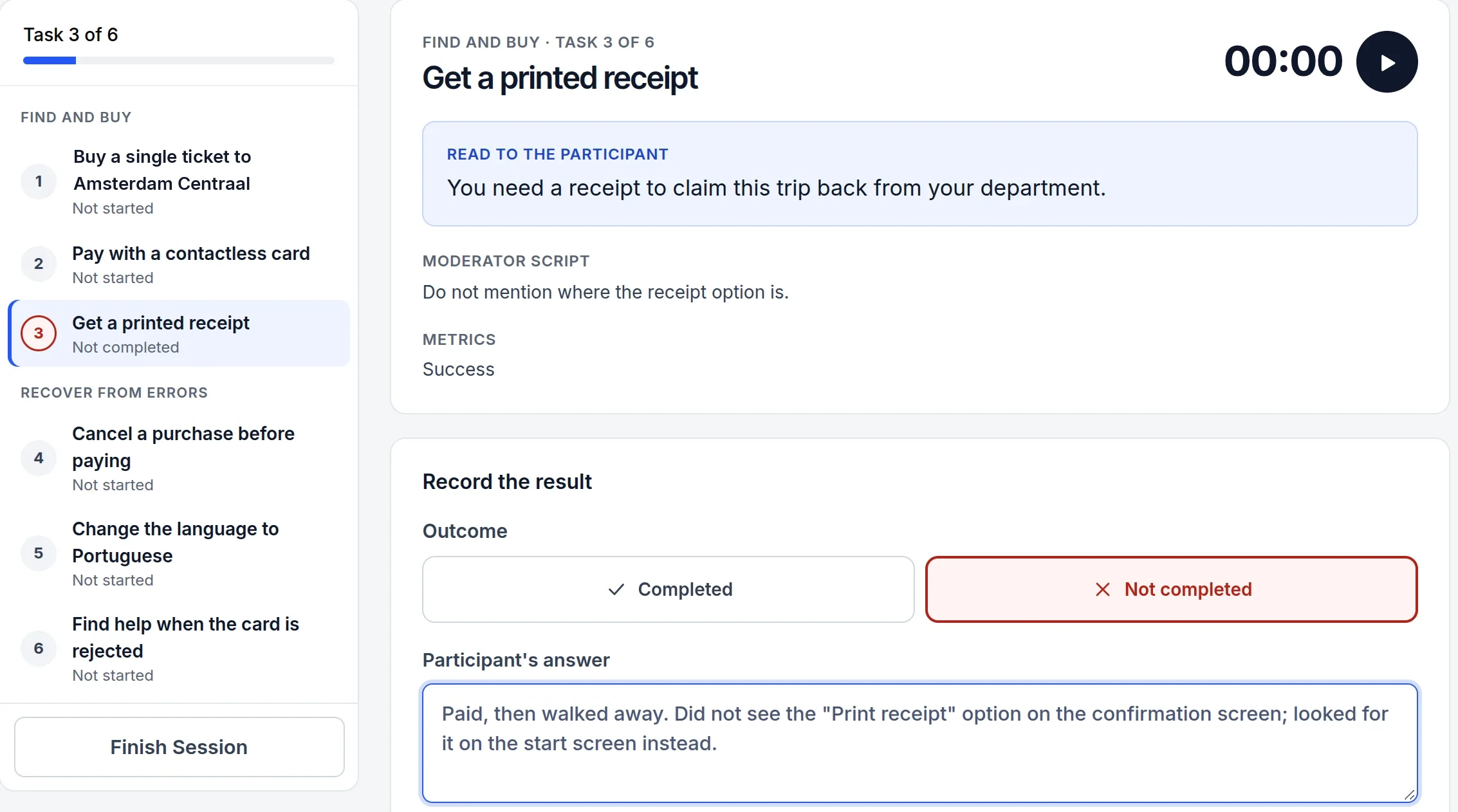
A session, recorded
1The moderator moves through the tasks in order; each shows its outcome.
2One click records the result: completed or not.
3What the participant said and did is written down while it’s fresh.
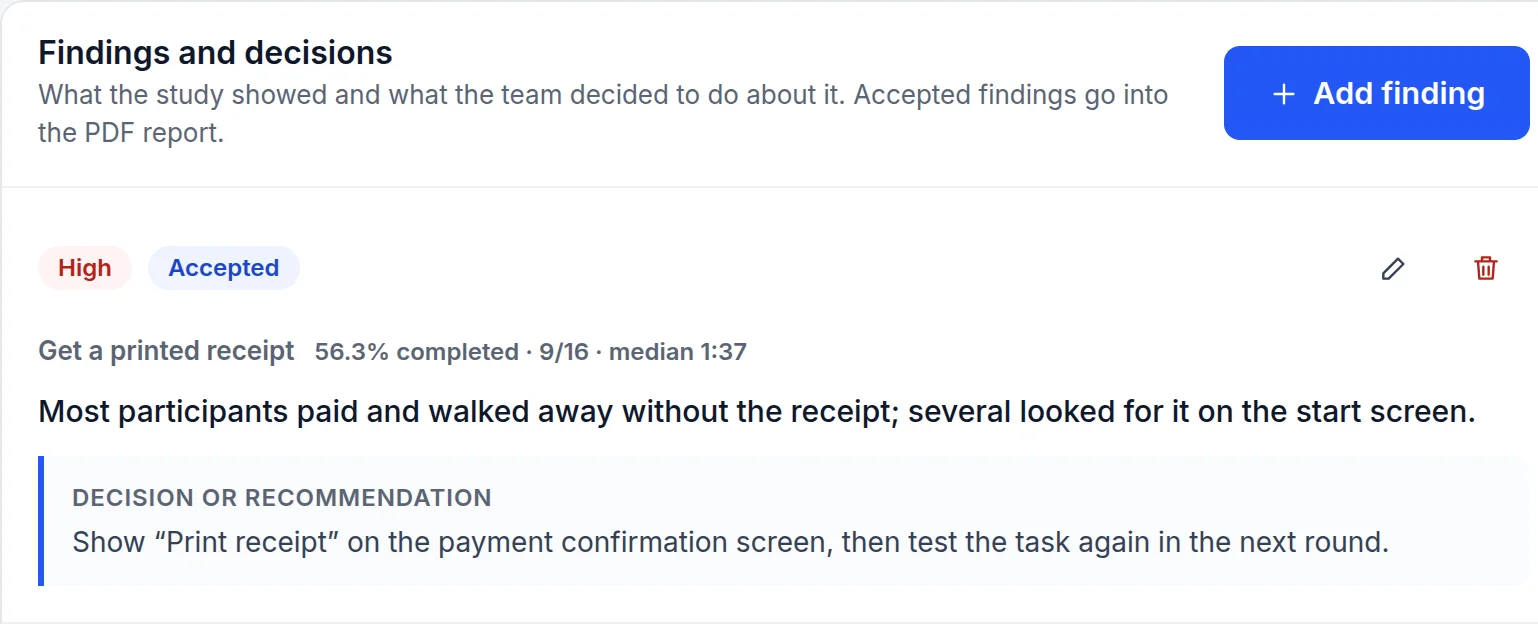
The result that changes the design
Write a short brief and AI drafts the plan: task groups, scenarios and questions. You review and edit every line before a participant sees it. The System Usability Scale is one click away.
Each moderator follows the same scenarios and script, with a timer, outcome buttons and notes for each task. Participants who can’t attend get a remote questionnaire with a single-use link.
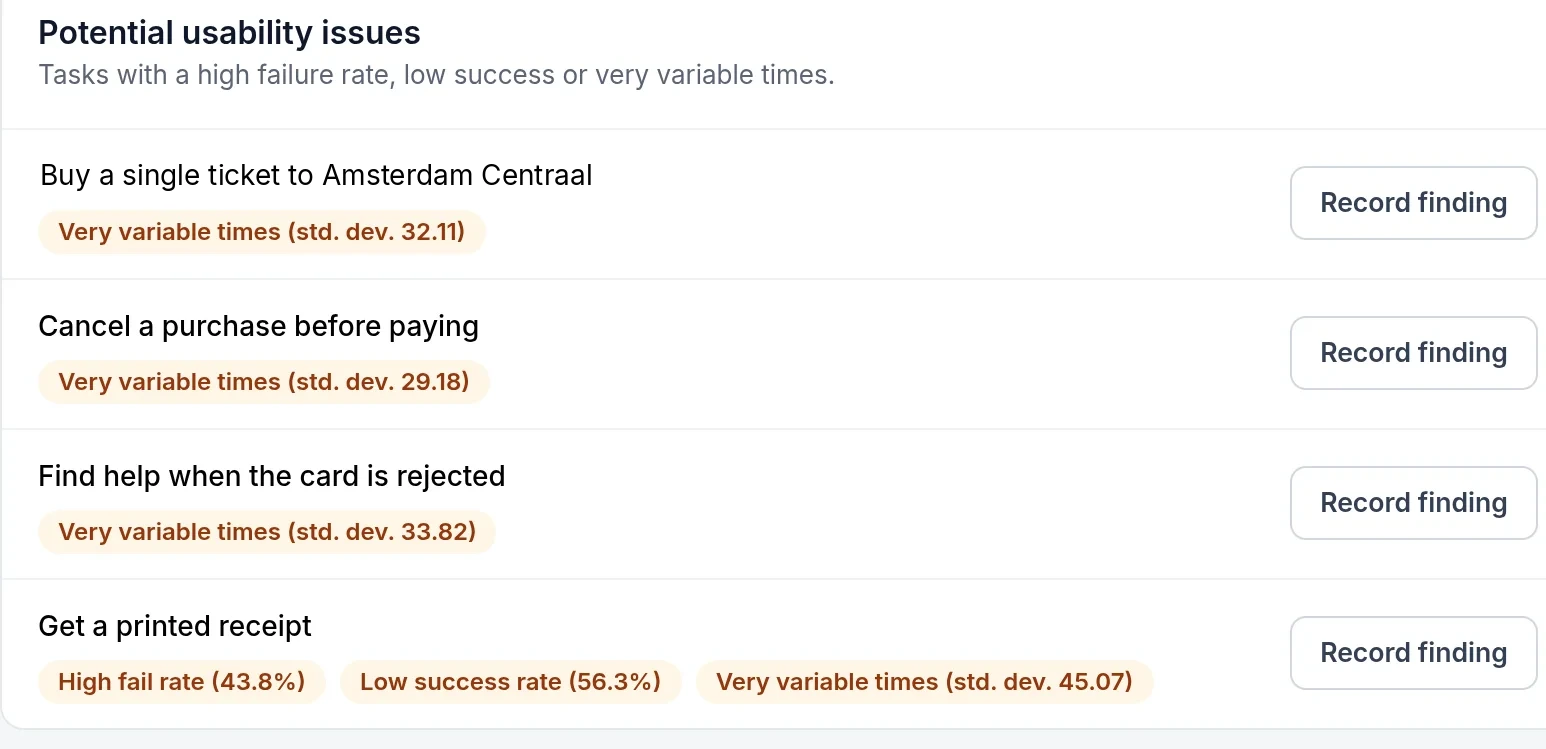
Task success, time on task and SUS update after every session, and problem tasks are flagged. Record each finding with the decision taken, and track it until it’s been tested again.
Also included
At two moments, and always as a draft you can change. Sessions themselves are run and recorded by people. The AI runs on Mistral, within the EU.
| What AI does | What you do with it | |
|---|---|---|
| Before sessions | Drafts tasks, scenarios and questions from your brief | Edit, reorder or delete them, then start testing |
| After sessions | Drafts findings from the flagged tasks and what participants said | Accept, edit or discard each one — only accepted findings reach the report |
Privacy by location
From the first study plan to the final report, nothing you put into TestFlow leaves the European Union.
TestFlow runs on servers in the European Union. Projects, sessions, notes and files are stored there too.
AI drafting uses Mistral, a European AI provider, so your briefs and session notes are processed within the EU as well.
Study plans, participant answers and results belong to the project owner. Export them as CSV, JSON or PDF whenever you need.
Your first study can be ready to run today.
What happens after you sign up