Studies drafted with AI
Describe the product and the question; AI drafts the objectives, procedure, tasks and questionnaire for you to edit.
AI-powered usability testing for product development
Product
TestFlow helps you investigate how people use physical and digital products. Prepare a study with AI assistance, guide moderated sessions and keep every observation connected to the results.
Your team reviews what AI drafts and interprets the evidence. The experience comes from real participants using the product.
Prepare
Start from a short description, a template or an imported file. Everything AI drafts stays editable.
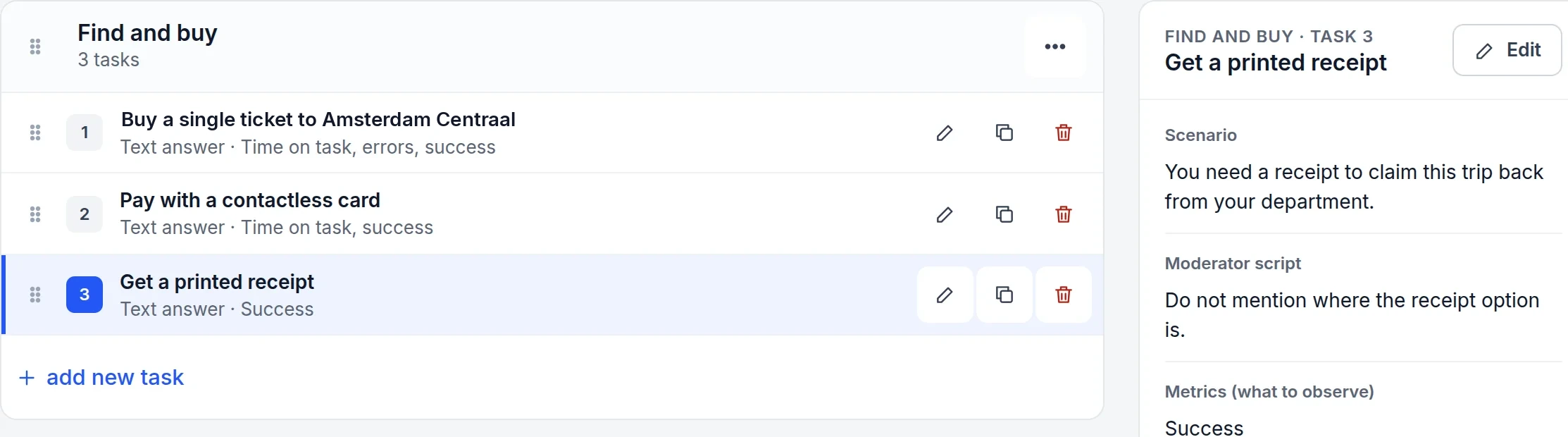
Describe the product and the question; AI drafts the objectives, procedure, tasks and questionnaire for you to edit.
Product under test, business case, objectives, participants, equipment, responsibilities, location, dates and procedure — ready to print.
Each task has the scenario to read aloud, the moderator’s script and what to observe, so every session runs the same way.
Text, single-choice, multiple-choice and dropdown questions. Add the System Usability Scale in one click.
Run
Moderators go through the tasks in order and note what happens as it happens: the outcome, the time and what the participant said and did. TestFlow keeps a written record of each session; it doesn’t record audio or video.
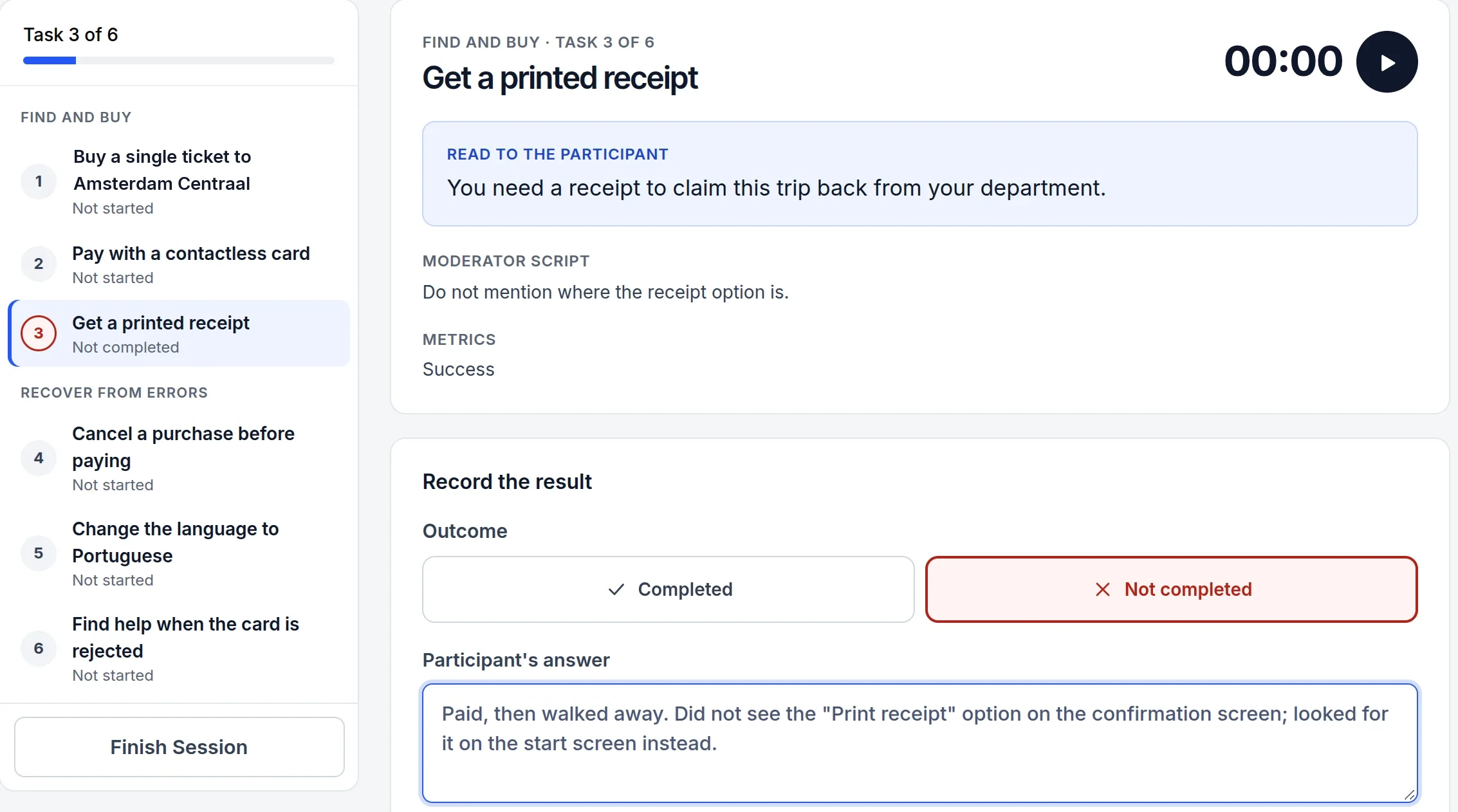
Add participants one by one or import a CSV, with the fields that matter to your study.
A timer per task, one click for the outcome, and notes on what the participant said and did.
Participants who can’t attend answer through a single-use link protected by a password.
Invite moderators to a project and choose who administers it.
Analyse
Results update after every session. Problem tasks are flagged, and each finding keeps its evidence and decision.
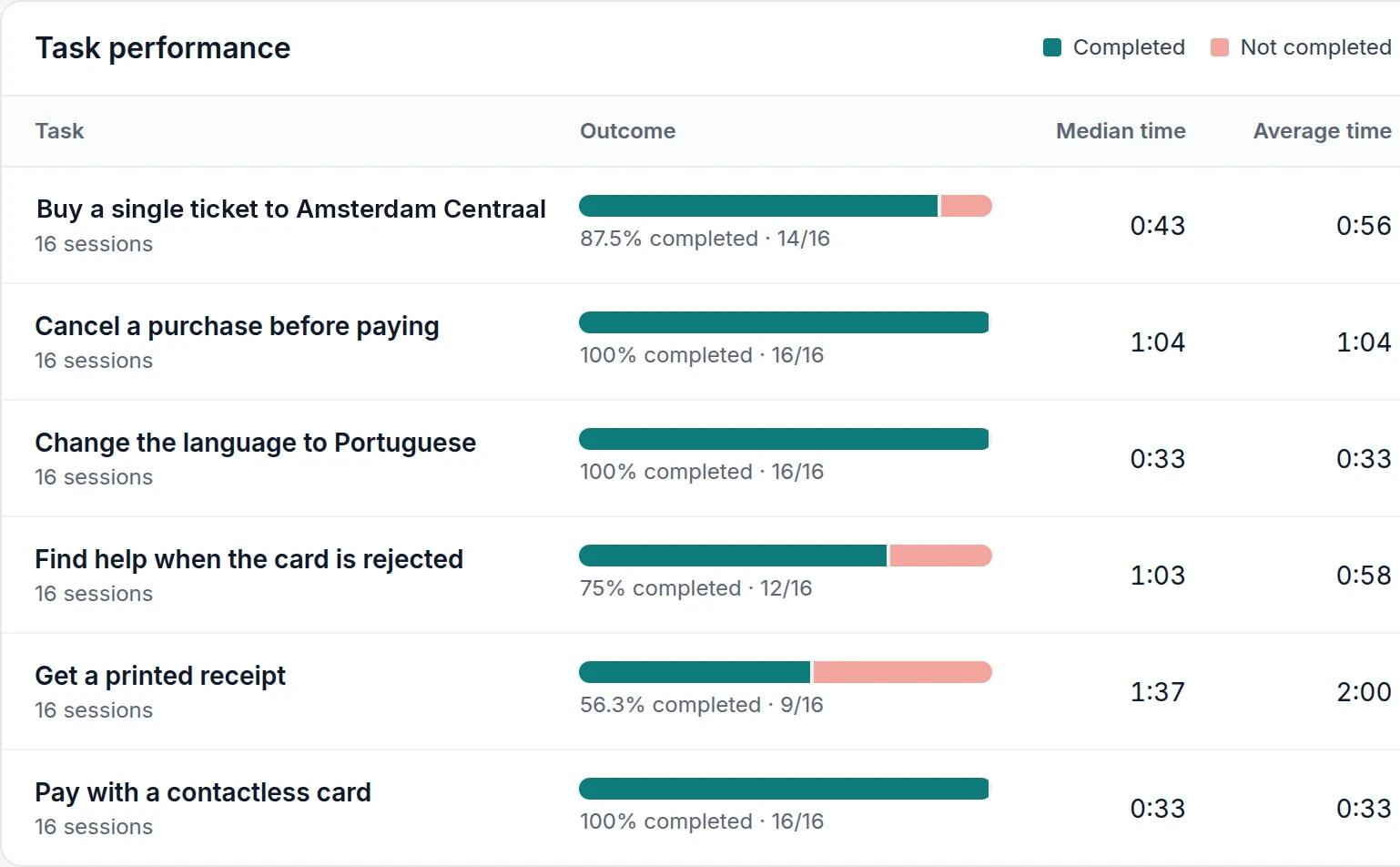
Success rate, time on task and errors for each task, with problem tasks flagged automatically.
Every answer in one view, and the SUS score with its grade and interpretation.
AI can suggest findings from the recorded results and notes. Check each one against the evidence, set its severity, record the decision and follow it until it’s been tested again.
A PDF report with the accepted findings, and the study plan and session sheets to print.
Their experience of the product, and their answers to the questionnaire and SUS: in the session, or through a remote link if they can’t attend.
Your data stays yours. Each format has a different job.
| Format | What it contains | Use it to |
|---|---|---|
| CSV | Task and questionnaire responses with times, errors and moderator notes; participant demographics; SUS scores. | Analyse the results in a spreadsheet or statistics tool. |
| JSON | The project structure: study plan, tests, task groups, tasks, questionnaires, participants and their custom fields. Responses are not included — use CSV for those. | Reuse a study’s setup in another project. |
| The report with results and accepted findings; the study plan and session sheets. | Share the outcome with clients, teachers or stakeholders. |
Your first study can be ready to run today.
What happens after you sign up